
Not every body wants the same minutes. Some want a record of who said what, in the order they said it. Others want a short account of each item: what was presented, what the members cared about, and what was decided. Until now every draft was written the first way. Now each body can choose.
Three levels of detail
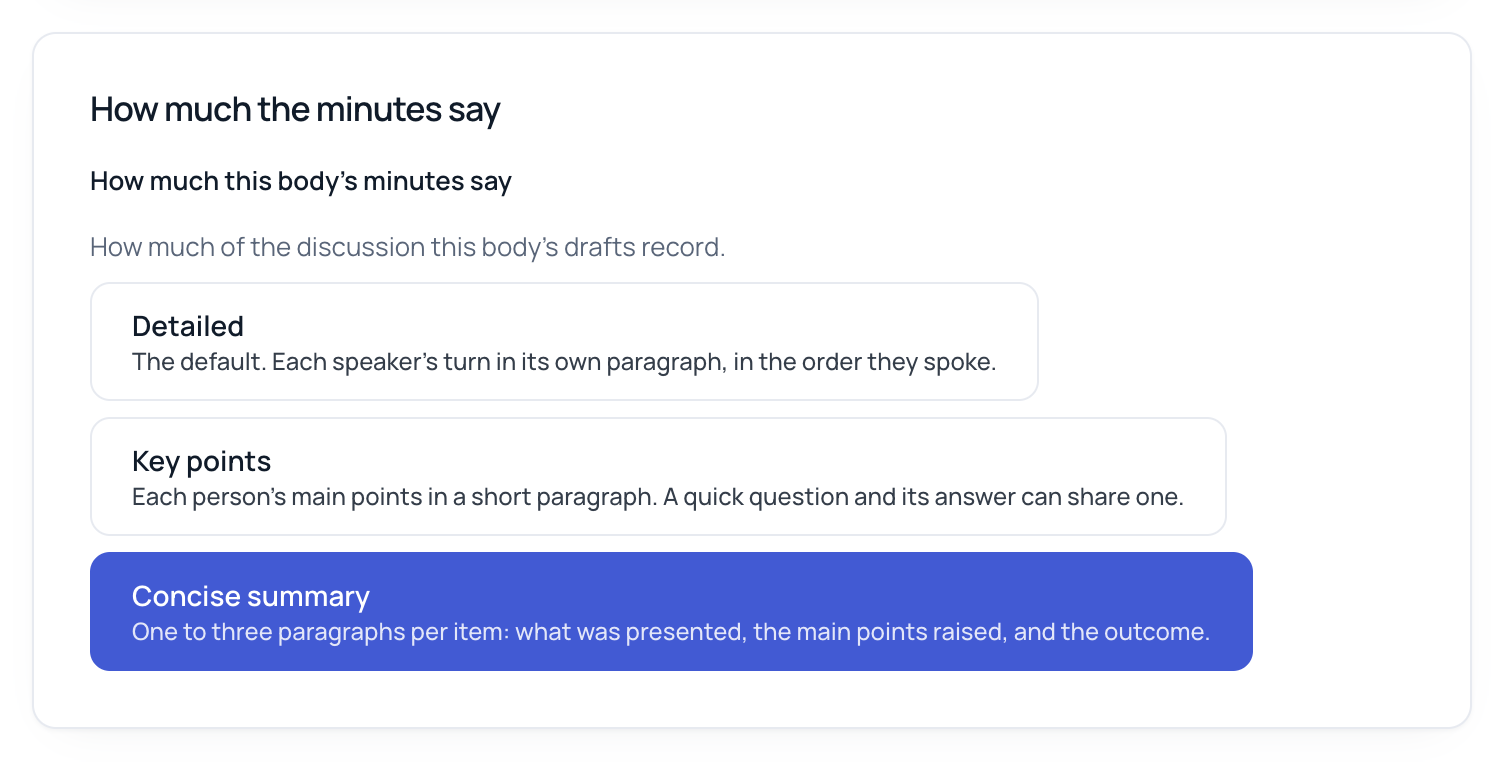
How much the minutes say has three choices:
- Detailed (the default): each speaker's turn in its own paragraph, in the order they spoke. This is how drafts have always been written.
- Key points: each person's main points in a short paragraph. A quick question and its answer can share one.
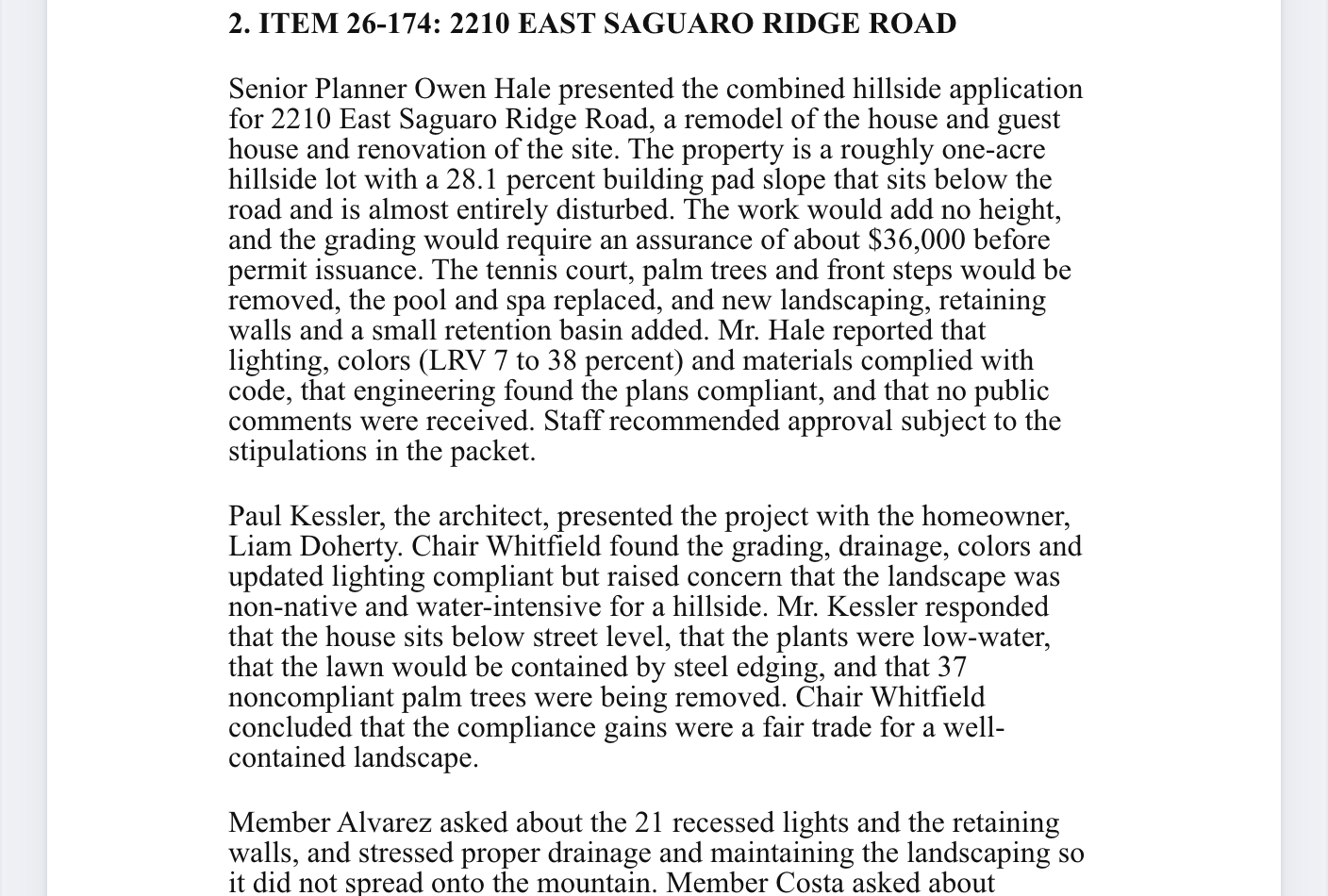
- Concise summary: one to three paragraphs per agenda item: what was presented and by whom, the main questions and concerns, and the outcome.
Some things don't change with the level. Motions, seconds and votes are written the same way at every level, from the motion list you checked. So are attendance and the agenda headings. Every paragraph still cites the transcript blocks it was written from, so Verify works the same way. A concise paragraph cites every block it summarizes, so clicking it shows you the whole stretch of discussion behind it.
The same item, two ways
Here is one agenda item from a two-hour design review meeting, drafted at each level. The names and the address are made up, and both columns are trimmed to fit, but the shape is what the drafts look like.
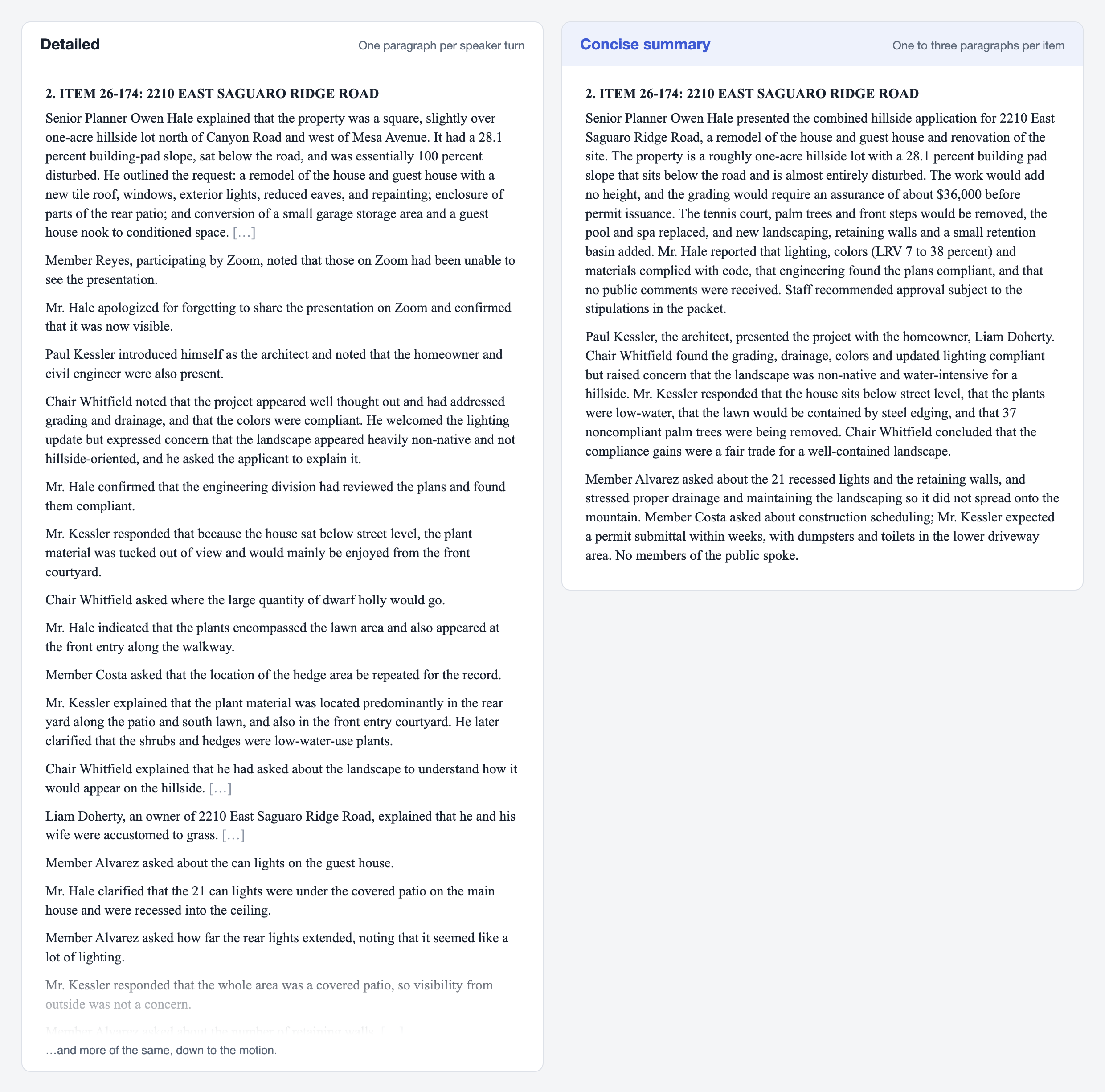
At full length, the detailed draft gave this item 32 paragraphs and about 1,170 words. The concise draft gave it 3 paragraphs and about 420 words. The facts that matter for the record made it into both: the slope, the $36,000 grading assurance, the light counts, the 37 palm trees, the drainage concern and the construction schedule. What the concise version leaves out is the back and forth, such as who asked where the hedges would go and who answered.
What we saw when we tested it
Before releasing this, we drafted four meetings we had already processed at both levels and compared them:
- Concise drafts were 35% to 65% as long as detailed ones. One long planning commission meeting went from about 6,200 words to 2,400.
- Every motion made it in. Motions come from the motion list, not from the summary, so they're recorded the same way at every level.
- Drafts finished faster: 26 seconds for a two-hour meeting, against 100 seconds for the detailed draft.
We also checked the concise drafts against the minutes the clerk actually delivered for two of those meetings. That committee's clerk writes nearly turn-by-turn minutes, and the concise drafts left out about a quarter of what the clerk records: members' questions, the answers, and remarks made in passing. That's what concise is for, but it means Concise summary is the wrong choice for that committee. Pick the level that matches the minutes your body actually approves.
Two things to watch. When a paragraph sums up several speakers, it can now and then credit a point to the wrong person. And in our tests, one concise draft named the wrong seconder and another wrote the same motion twice. Click a paragraph in Verify to see the blocks it came from, and check the motions against your motion list, as you would at any level.
Where to set it
It's in Settings → Bodies. The Defaults tab applies to every body. Each body has its own tab, where it can choose differently.
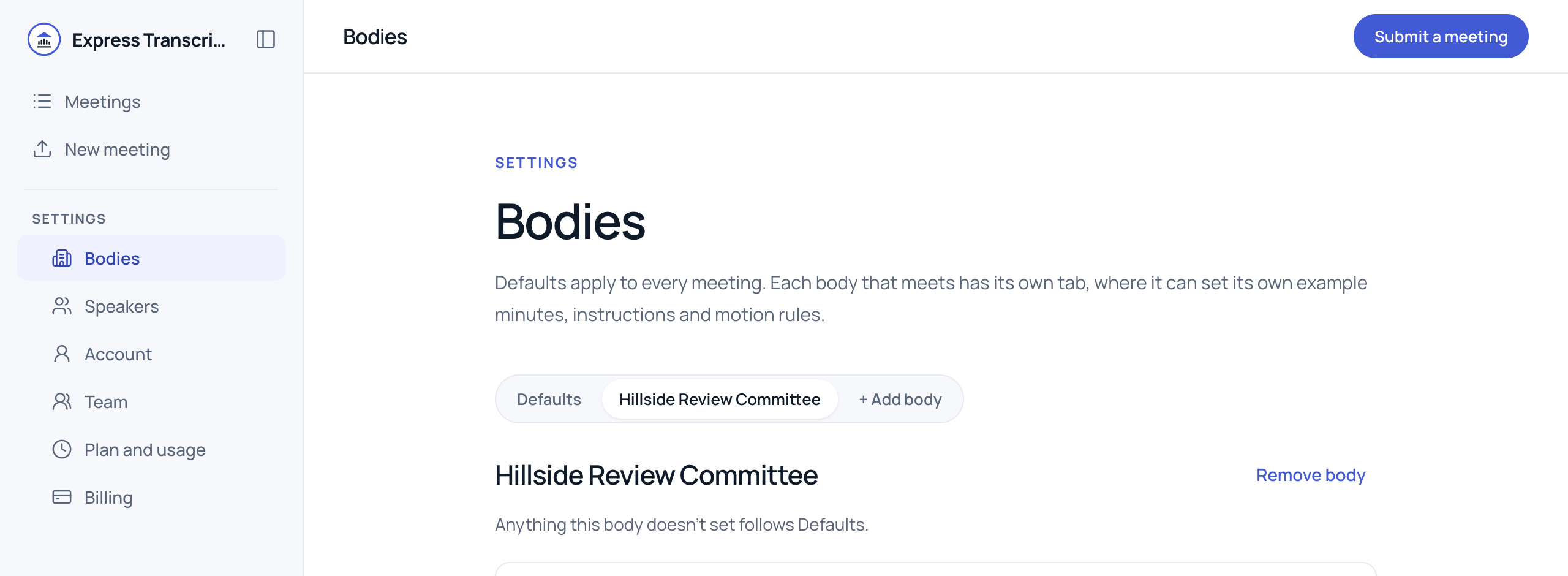
- Open Settings → Bodies.
- To set it for every body, stay on Defaults. To set it for one body, click that body's tab.
- Under How much the minutes say, click a level. It saves right away.
A body with nothing chosen follows Defaults, and Defaults starts at Detailed, so nothing changes until you pick something.
The level applies to drafts written after you change it. To see an existing meeting at the new level, open it and click Generate minutes again. That writes a new draft and replaces the old one, edits included, so do it before you start editing. Add to minutes, which writes a paragraph for a part of the meeting you select, follows the same level.
Which level to choose
Open the last set of minutes your body approved and look at one agenda item.
- If there's a paragraph for each person who spoke, in order, use Detailed.
- If each person gets a sentence or two, use Key points.
- If the item is a short summary followed by the motion, use Concise summary.
If you're not sure, draft one meeting at two levels and compare them side by side. You can change the setting as often as you like.
Your first meeting is free and doesn't need a card. Try it on your next meeting.